Development Environment
Requirements
- Xcode 26+ — required by App Store Connect; builds with older SDKs are rejected on upload. See Important Notes.
- Objective-C (Swift interop supported)
- CocoaPods
- Deployment target stays at iOS 13.0+ — only the build SDK changes.
Standard Podfile (native iOS app)
platform :ios, '13.0'
use_frameworks!
use_modular_headers!

target 'YourApp' do
  pod 'VGPSDK', '6.0.1'
end

post_install do |installer|
  installer.pods_project.targets.each do |target|
    target.build_configurations.each do |config|
      config.build_settings['ALWAYS_EMBED_SWIFT_STANDARD_LIBRARIES'] = 'NO'
      config.build_settings['IPHONEOS_DEPLOYMENT_TARGET'] = '13.0'
    end
  end
end
Run:
pod deintegrate
pod install
open YourApp.xcworkspace
Always open the .xcworkspace file — not the .xcodeproj.
Unity3D Podfile
For Unity3D projects, create the Podfile next to Unity-iPhone.xcworkspace:
├── Pods/
├── Unity/
│   └── Unity-iPhone.xcodeproj
├── Unity-iPhone.xcworkspace
├── Podfile
└── Podfile.lock
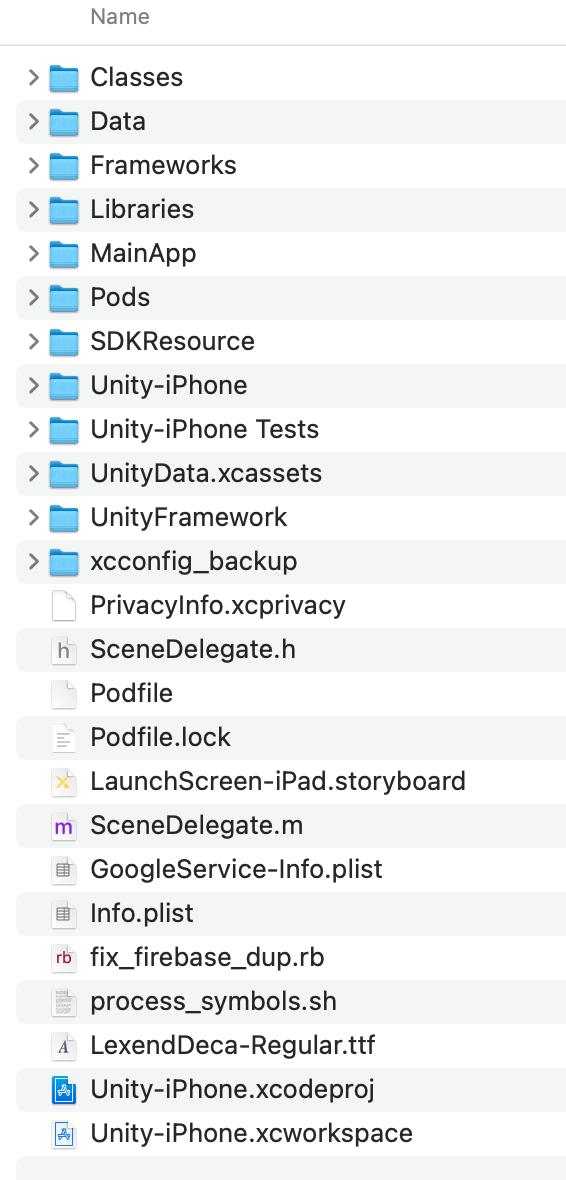
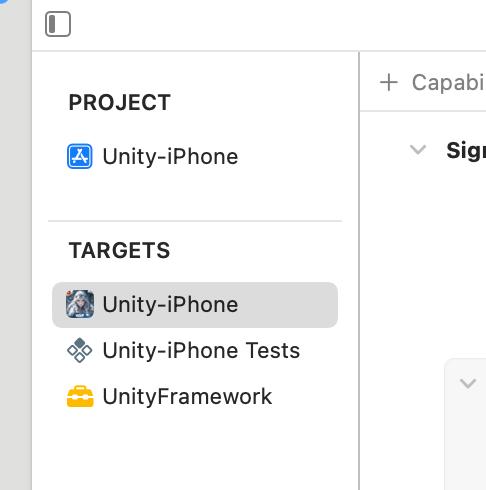
When VGPSDK is installed via pod install in a project that uses UnityFramework, third-party libraries (Firebase, Facebook, etc.) get linked into both the Unity-iPhone target and the UnityFramework target. This causes duplicate symbol crashes at runtime such as:
[FirebaseCore][I-COR000029] Attempted to register protocol FIRAnalyticsInterop,
but it already has an implementation.
The post_install script below is mandatory. It patches the generated .xcconfig files for the Unity-iPhone target, stripping out the duplicate linker flags so only UnityFramework loads the libraries.
If you skip this script, you will get duplicate framework errors every time you run pod install.
# Alternative mirror for faster installs in China
# source 'https://mirrors.tuna.tsinghua.edu.cn/git/CocoaPods/Specs.git'

platform :ios, '13.0'

abstract_target 'SharedPods' do
  use_frameworks!
  use_modular_headers!

  pod 'VGPSDK', '6.0.1'

  workspace 'Unity-iPhone'
  target 'Unity-iPhone' do
    project 'Unity/Unity-iPhone'
  end
  target 'UnityFramework' do
    project 'Unity/Unity-iPhone'
  end
end

post_install do |installer|
  installer.pods_project.targets.each do |target|
    target.build_configurations.each do |config|
      config.build_settings['ALWAYS_EMBED_SWIFT_STANDARD_LIBRARIES'] = 'NO'
      config.build_settings['ONLY_ACTIVE_ARCH'] = 'NO'
      config.build_settings['IPHONEOS_DEPLOYMENT_TARGET'] = '13.0'
    end
  end

  # REQUIRED for UnityFramework projects:
  # Strips duplicate linker flags from Unity-iPhone xcconfig files.
  # Without this, Firebase/Facebook/etc. load twice and crash at runtime.
  Dir.glob("Pods/**/Pods*iPhone*.xcconfig").each do |xcconfig_path|
    puts "Patching #{xcconfig_path}"
    text = File.read(xcconfig_path)
    text.gsub!(/^OTHER_LDFLAGS.*$/, 'OTHER_LDFLAGS = -ObjC')
    File.write(xcconfig_path, text)
  end
end
pod deintegrate Unity/Unity-iPhone.xcodeproj
pod install
open Unity-iPhone.xcworkspace
Troubleshooting
pod install download errors
If you see:
error: RPC failed; curl 18 transfer closed with outstanding read data remaining
fatal: the remote end hung up unexpectedly
fatal: early EOF
Force Git to use the https:// protocol:
# ~/.gitconfig
[url "https://github.com/"]
  insteadOf = git://github.com/
Delete Pods/ and Podfile.lock, then rerun pod install.
UnityFramework duplicate library warning
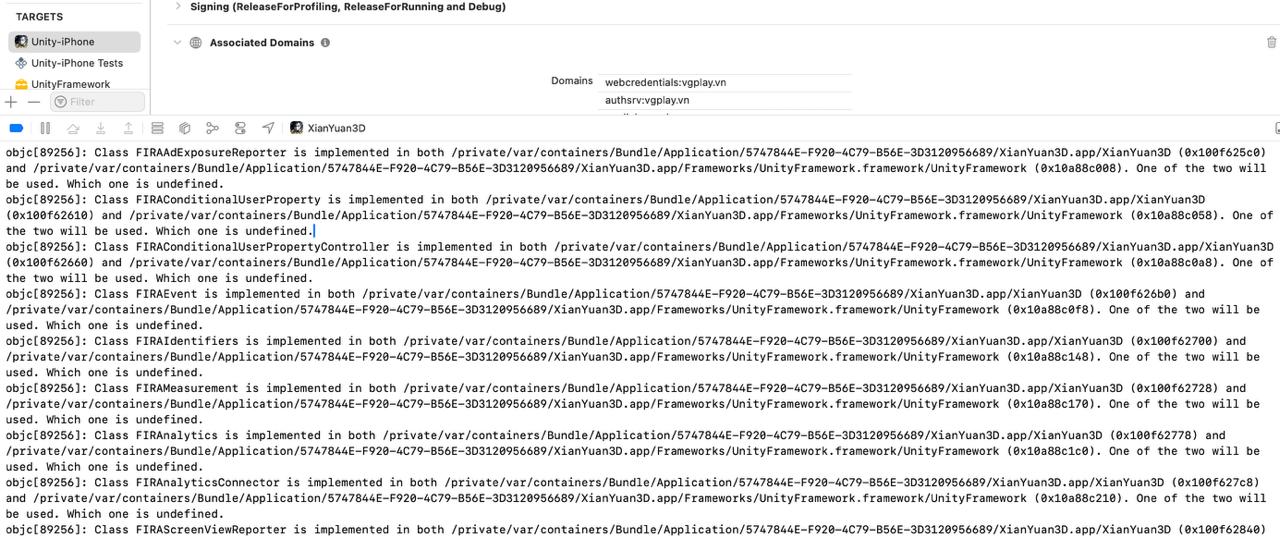
If you see this in Xcode logs:
[FirebaseCore][I-COR000029] Attempted to register protocol FIRAnalyticsInterop, but it already has an implementation.
This means the post_install xcconfig patch is missing from your Podfile. Add it as shown in the Unity3D Podfile section above, then re-run:
pod deintegrate Unity/Unity-iPhone.xcodeproj
pod install
Alternatively, to patch an existing installation without re-running pod install:
find . -name "Pods*iPhone*.xcconfig" -exec sed -i '' 's|^OTHER_LDFLAGS.*|OTHER_LDFLAGS = -ObjC|' {} +
Cocos2d-x tips
Place the Podfile in the proj.ios_mac directory.
If you see compile errors related to __cplusplus, edit Pods/FBSDKShareKit/Share/FBSDKShareKitImport.h:
Change:
#import <FBSDKCoreKit.h>
To:
#import <FBSDKCoreKit/FBSDKCoreKit.h>