Important Notes
- Build with Xcode 26+ (the iOS 26 SDK is required by App Store Connect — see warning below).
- Minimum deployment target: iOS 13.0.
App Store Connect requires iOS 26 SDK
Apps uploaded to App Store Connect or submitted for distribution must be built with the iOS 26 SDK or later, included in Xcode 26 or later. Builds produced with an older SDK (e.g. iOS 18.4 SDK / Xcode 16) are rejected at upload time with Validation failed (409) — SDK version issue.
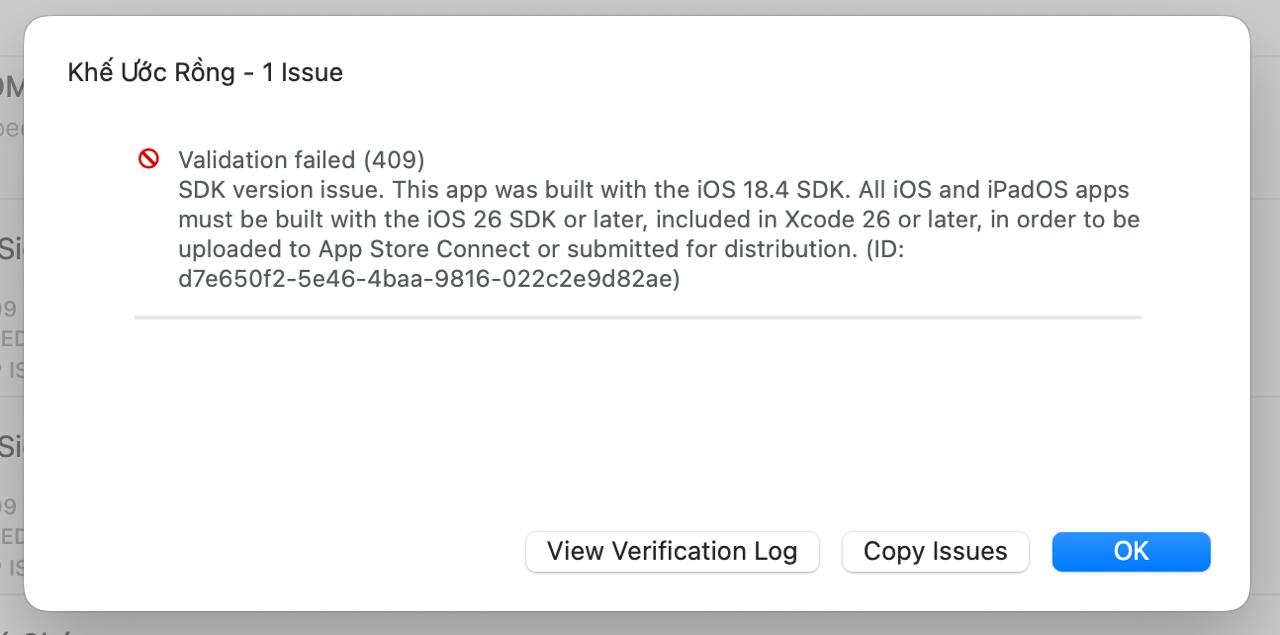
What to do: install the latest Xcode 26 from the Mac App Store (or developer.apple.com), open your project, ensure the build configuration uses the bundled iOS 26 SDK, then re-archive and re-upload. The deployment target stays at iOS 13.0+ — only the build SDK changes.
- VGPSDK.bundle is delivered automatically by CocoaPods — do not add it manually to your project.
- Log
logPurchase:setItemID:only after your server confirms a successful transaction. - Replace all placeholder values (Facebook App ID, Google Client ID, Adjust tokens, etc.) with the real values from your VGP project.
- For Unity or Cocos2d-x projects, follow the platform-specific notes in Development Environment.
- ATT tracking:
SKAdNetworkItemsinInfo.plistmust include the complete identifiers for every ad network you run (Facebook, TikTok, Google Ads, Unity Ads, etc.). Incomplete lists cause paid installs to be attributed as organic. Get the full list from your Adjust dashboard or from each network's official documentation. See Project Configuration. - ATT opt-in rate: Write a clear, benefit-focused
NSUserTrackingUsageDescription. Higher opt-in rate → more IDFA available → better attribution accuracy across all channels.